Bring a more modern startup experience to Windows 11
Bring a more modern startup experience to Windows 11
Integrating launching, search, grouping, and desktop organization, Windows users can now have an easy-to-use Launchpad software.

Designed around daily desktop workflows
Windows 11
high refresh rate screen
Trigger angle
Multiple Displays
Custom Icon
Trackpad gestures
Shortcuts
Backup and Recovery
Get into the work mindset faster
Call it up anytime to keep your desktop in rhythm

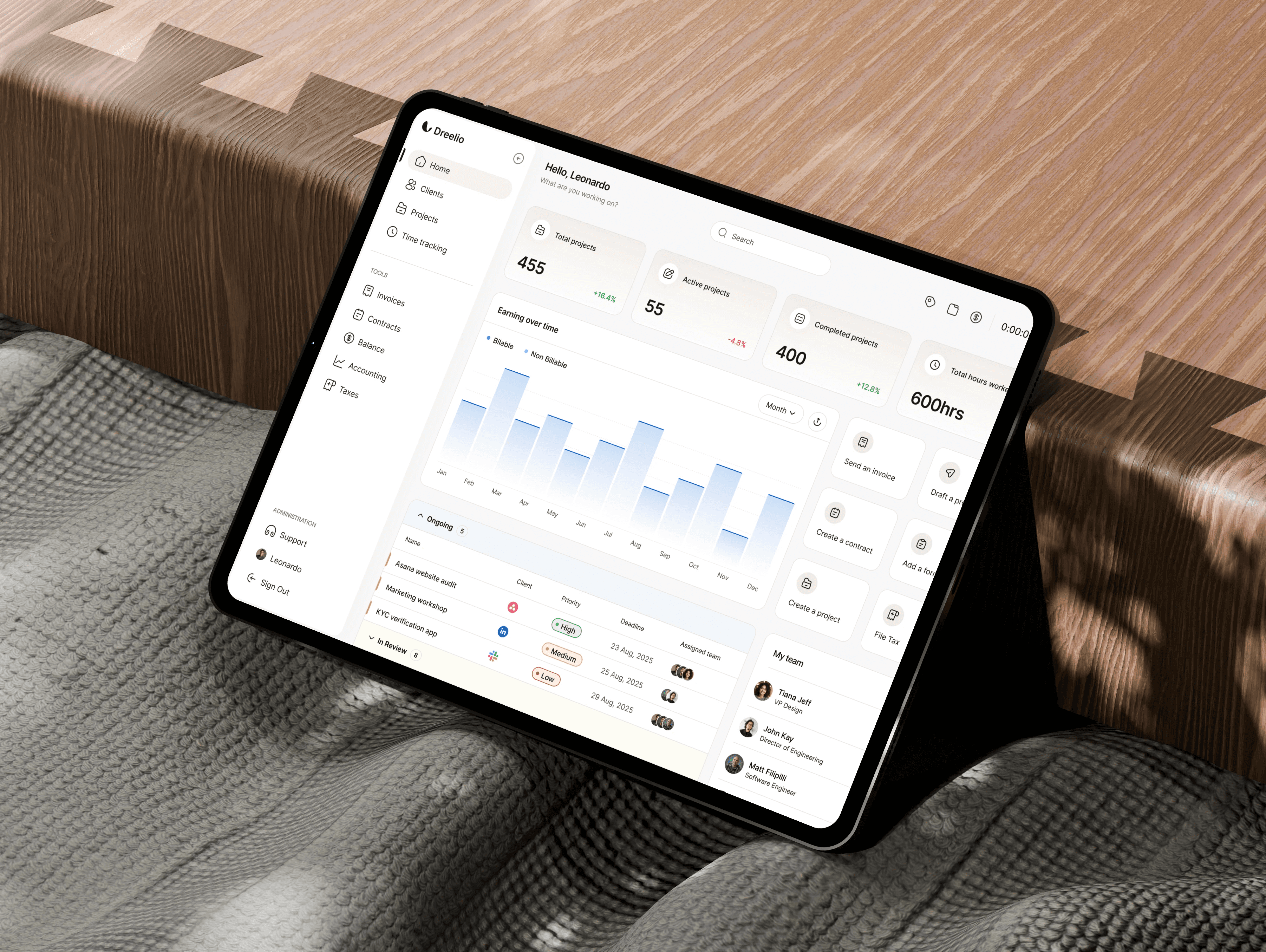
Get into the work mindset faster
Call it up anytime to keep your desktop in rhythm


Organize Apps
Put the app back where it belongs
Create groups, rename apps, drag to reorder, and hide rarely used items. Flare helps you organize your cluttered start menu, desktop shortcuts, and system app entry points into a clean grid.
Grouping
Hide App
Drag and drop to reorder
Rename Application
Organize Apps
Put the app back where it belongs
Create groups, rename apps, drag to reorder, and hide rarely used items. Flare helps you organize your cluttered start menu, desktop shortcuts, and system app entry points into a clean grid.
Grouping
Hide App
Drag and drop to reorder
Rename Application
Search and Launch
Search at the lift of a hand
Once you open the Launchpad, you can start typing directly to search. Flare supports application names, display names, custom aliases, and Chinese/English initials matching. Simply press Enter once you find your target to launch it.
Search as you type
Press Enter to start
Trigger via Shortcut Key
Scroll to turn pages
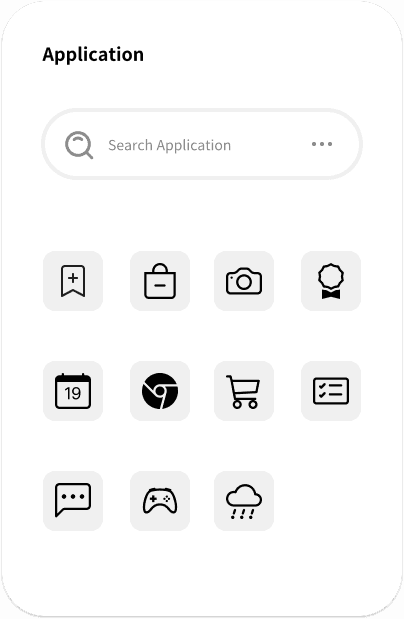
Search and Launch
Search at the lift of a hand
Once you open the Launchpad, you can start typing directly to search. Flare supports application names, display names, custom aliases, and Chinese/English initials matching. Simply press Enter once you find your target to launch it.
Search as you type
Press Enter to start
Trigger via Shortcut Key
Scroll to turn pages
Core Capabilities
Under its sleek appearance, you retain the control you truly need.
Flexible Appearance
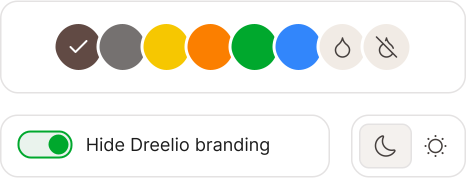
Supports system wallpaper, glass texture, light/dark modes, and custom text colors to make the Launchpad blend in perfectly with your desktop.
Icon Management


Supports global icon packs, adaptive icons, and third-party icon replacement. You can also restore the default icon for individual apps.
Efficient Interaction
Keyboard shortcuts, hot corners, trackpad gestures, mouse scroll wheel, and side buttons for page turning make launching actions feel more natural.
Application Management
Right-click to open, rename, hide, or uninstall apps, as well as to create groups or move them to an existing group.
Layout Adaptation
Supports custom rows and columns, icon sizes, and smart screen adaptation to maintain an appropriate layout on different displays.
Core Capabilities
Under its sleek appearance, you retain the control you truly need.
Flexible Appearance
Supports system wallpaper, glass texture, light/dark modes, and custom text colors to make the Launchpad blend in perfectly with your desktop.
Icon Management
Supports global icon packs, adaptive icons, and third-party icon replacement. You can also restore the default icon for individual apps.
Efficient Interaction
Keyboard shortcuts, hot corners, trackpad gestures, mouse scroll wheel, and side buttons for page turning make launching actions feel more natural.
Application Management
Right-click to open, rename, hide, or uninstall apps, as well as to create groups or move them to an existing group.
Layout Adaptation
Supports custom rows and columns, icon sizes, and smart screen adaptation to maintain an appropriate layout on different displays.
"A launcher that looks more like macOS Launchpad, but redesigned for Windows."

Martha Punla
VP of Marketing, Meta
"Searching, grouping, and drag-and-drop sorting are very handy; I finally don't have to rumble through the Start menu anymore."

Leah Daniel
Design Ops Lead, Teamwork.
"Hot corners and shortcuts are great for daily work; the action of opening applications becomes very effortless."

Sergio Walker
Agency Owner
"Customizing icons and hiding apps is really practical; my homescreen finally looks clean."

Jane Jay Jay
Project Manager, Google
"Ever since using the macOS Launchpad, I couldn't get it out of my mind. Finally, I found an equally great equivalent software on Windows."

Amos Chen
Art Director, Pentagram
"Searching, grouping, and drag-and-drop sorting are very handy; I finally don't have to rumble through the Start menu anymore."
Leah Daniel
Design Ops Lead, Teamwork.
"Hot corners and shortcuts are great for daily work; the action of opening applications becomes very effortless."
Jane Jay Jay
Project Manager, Google
"Searching, grouping, and drag-and-drop sorting are very handy; I finally don't have to rumble through the Start menu anymore."
Sergio Walker
Agency Owner
"Ever since using the macOS Launchpad, I couldn't get it out of my mind. Finally, I found an equally great equivalent software on Windows."
Amos Chen
Art Director, Pentagram
"A launcher that looks more like macOS Launchpad, but redesigned for Windows."
Martha Punla
VP of Marketing, Meta
"Searching, grouping, and drag-and-drop sorting are very handy; I finally don't have to rumble through the Start menu anymore."
Leah Daniel
Design Ops Lead, Teamwork.
"Hot corners and shortcuts are great for daily work; the action of opening applications becomes very effortless."
Sergio Walker
Agency Owner
"Customizing icons and hiding apps is really practical; my homescreen finally looks clean."
Jane Jay Jay
Project Manager, Google
"Ever since using the macOS Launchpad, I couldn't get it out of my mind. Finally, I found an equally great equivalent software on Windows."
Amos Chen
Art Director, Pentagram
"Searching, grouping, and drag-and-drop sorting are very handy; I finally don't have to rumble through the Start menu anymore."
Leah Daniel
Design Ops Lead, Teamwork.
"Hot corners and shortcuts are great for daily work; the action of opening applications becomes very effortless."
Jane Jay Jay
Project Manager, Google
"Searching, grouping, and drag-and-drop sorting are very handy; I finally don't have to rumble through the Start menu anymore."
Sergio Walker
Agency Owner
"Ever since using the macOS Launchpad, I couldn't get it out of my mind. Finally, I found an equally great equivalent software on Windows."
Amos Chen
Art Director, Pentagram
Price
Simple and clear buyout plans
7-day trial
Free
Fully experience all of Flare's membership features to confirm it fits your workflow before purchasing.
Full Feature Unlock
No payment required
Open via client
You can continue using it after purchasing upon expiration
An experience that goes beyond value
Major Version Buyout
Recommend
$19.99
$19.99
Upon purchase, you will receive member benefits for the current major version, with minor version updates available for free.
Full Feature Unlock
High Refresh Rate Display and Quick Wake
Search, drag-and-drop sorting, and grouping
Customize appearance, icons, and application sources
Whitelist/blacklist filtered applications
Bulk Purchasing
Business
Suitable for teams, studios, or multi-device deployment; contact support for 5 or more devices
Volume purchase of 5 units or more
Assistance is available for invoicing and delivery arrangements.
Completed requirements via email communication
Quick response to resolve problems
Email: support@nocmt.com
7-day trial
Free
Fully experience all of Flare's membership features to confirm it fits your workflow before purchasing.
Full Feature Unlock
No payment required
Open via client
You can continue using it after purchasing upon expiration
An experience that goes beyond value
Major Version Buyout
Recommend
$19.99
$19.99
Upon purchase, you will receive member benefits for the current major version, with minor version updates available for free.
Full Feature Unlock
High Refresh Rate Display and Quick Wake
Search, drag-and-drop sorting, and grouping
Customize appearance, icons, and application sources
Whitelist/blacklist filtered applications
Bulk Purchasing
Business
Suitable for teams, studios, or multi-device deployment; contact support for 5 or more devices
Volume purchase of 5 units or more
Assistance is available for invoicing and delivery arrangements.
Completed requirements via email communication
Quick response to resolve problems
Email: support@nocmt.com
Refunds are not supported after official purchase. The final price is subject to what is displayed on the Stripe Checkout page.
Price
Simple and clear buyout plans
7-day trial
Free
Fully experience all of Flare's membership features to confirm it fits your workflow before purchasing.
Full Feature Unlock
No payment required
Open via client
You can continue using it after purchasing upon expiration
An experience that goes beyond value
Major Version Buyout
Recommend
$19.99
$19.99
Upon purchase, you will receive member benefits for the current major version, with minor version updates available for free.
Full Feature Unlock
High Refresh Rate Display and Quick Wake
Search, drag-and-drop sorting, and grouping
Customize appearance, icons, and application sources
Whitelist/blacklist filtered applications
Bulk Purchasing
Business
Suitable for teams, studios, or multi-device deployment; contact support for 5 or more devices
Volume purchase of 5 units or more
Assistance is available for invoicing and delivery arrangements.
Completed requirements via email communication
Quick response to resolve problems
Email: support@nocmt.com
Refunds are not supported after official purchase. The final price is subject to what is displayed on the Stripe Checkout page.
Support
Need help? We're here.

@nocmt
Customer Support
If you encounter any activation, payment, download, or usage issues, you can contact us via email.

4,085 Likes
Product Updates
Stay tuned for version updates, feature descriptions, and usage tips to learn about future improvements to Flare.
Support
Need help? We're here.
@nocmt
Customer Support
If you encounter any activation, payment, download, or usage issues, you can contact us via email.
4,085 Likes
Product Updates
Stay tuned for version updates, feature descriptions, and usage tips to learn about future improvements to Flare.

